
Data Entry
Fast, accurate data entry from Buxonline freelancers, starting at $1.

 cleansheet89Level 3
I will sort, remove duplicates, fix formatting and organize your rows and columns.
 5
5$100
 cleansheet89Level 3
I will manually type information from your scanned documents or images into Excel or Sheets.
5$100
 cleansheet89Level 3
I'll find and delete duplicate entries in your spreadsheet and give you a clean file.
5$100
 cleansheet89Level 3
I'll divide your spreadsheet into separate files based on categories or date ranges you specify.
5$100
 ayeshaabid7192New Seller
I will provide accurate data entry, Excel spreadsheet formatting, and copy-paste work quickly.
$100

 ketubwoNew Seller
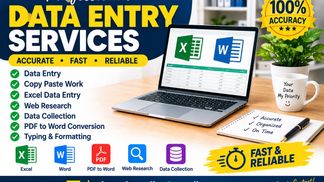
Data entry isn’t just about typing fast; it's about absolute accuracy so your systems never glitch. Here is what I bring to your project: • Speed & Accuracy: I type at [Your WPM] WPM with near-perfect accuracy, meaning no missed fields or typos. • Data Integrity: I double-verify every single entry against the source document before marking it complete. • Format Expertise: I can cleanly organize your data using custom filters, dropdown arrays, and proper formatting in [Excel/Google Sheets].
$100
 ahmadqurejhaNew Seller
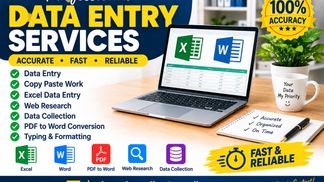
Hello! I am a beginner Data Entry Specialist. I can help with data entry, copy-paste, Excel data entry, web research, data collection, and PDF to Word conversion. I focus on accuracy and timely delivery. Thank you!
$100
 ahmadqurejhaNew Seller
Hello! Welcome to my Excel Data Entry service. I am a beginner Data Entry Specialist and Virtual Assistant. I can help you with: - Excel Data Entry - Copy Paste Work - Data Organization - Data Collection - Web Research - Spreadsheet Formatting - Accurate Typing I focus on accuracy, organized work, and timely delivery. I will do my best to complete your work according to your requirements. If you need reliable Excel data entry support, feel free to place an order. Thank you!
$100
 iqbalstationary68New Seller
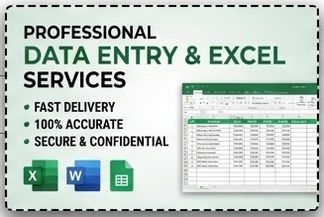
Get fast, highly accurate, and reliable data entry services for your business. I specialize in Excel spreadsheets, PDF to Word conversion, web research, data cleaning, and copy-paste tasks—delivered on time with 100% confidentiality. Key Points Included: Core Services: Excel, PDF conversion, Web Research, Copy-Paste. Value Highlights: Accuracy, Speed, Confidentiality, Timely Delivery.
$100
 shivambatra601Level 2
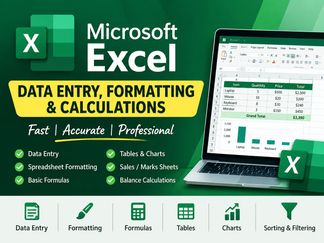
I will provide accurate excel data entry spreadsheet formatting formulas tables and basic calculations
$100
 shivambatra601Level 2
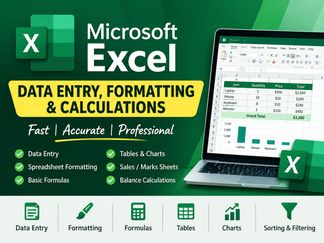
I will provide accurate Excel data entry, spreadsheet formatting, formulas, tables, and basic calculations.
$100
 tutorialbasedhubLevel 2
Fast Virtual Assistance help: Data Entry, Web Research, Inbox Cleanup, Behance Portfolio Update, Social Media Assistance, or any other related tasks. Same day delivery.
$100
 EssaNew Seller
I provide accurate data entry, typing, and spreadsheet organization services. I focus on accuracy, neat formatting and timely delivery.
$100

 HASSAN RAZA PRONew Seller
i provide fast and accurate data entry and excel spreadsheet services
$100
 The Typing ProLevel 2
I will provide fast and accurate typing work. PDF to Word, Image to word, Data Entry in Excel with 100%accuracy and fast delivery.No spelling mistakes.
$100
 The Typing ProLevel 2
I will provide fast and accurate typing work.PDF to Work. Image to Word. Data Entry in Excel with 100% accuracy and fast delivery . No spelling mistakes.
$100
 The Typing ProLevel 2
I will convert your scanned images, JPG, PDF, files into editable MS Word document. Fast delivery ,no mistakes,100% accurate typing work.
$100
 sauravkr821052New Seller
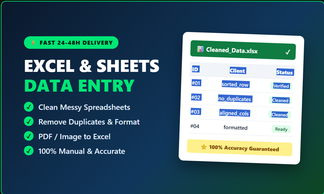
Accurate data entry, duplicate removal, and formatting for up to 200 rows in Excel or Google Sheets.
$100
 njaufrancis29New Seller
Need error-free data entry? I provide fast, reliable services for your spreadsheets and databases. Services include: 1. Cleaning and formatting messy data. 2. Manual and automated data entry. 3. List building and lead generation data organization. 4. Online and offline data compilation. I guarantee speed, confidentiality, and accuracy. Perfect for e-commerce product lists, survey responses, and mailing lists. All services come with thorough verification. Let me handle your data so you can focus on your business.
$100
 rashed.csbdNew Seller
I work in a private school as data entry operator. I can do all kinds of task of a school.
$100
 tanyakhandelwal828New Seller
Hi, I'm Tanya! I will do any kind of typing work quickly and with 100% accuracy. What I will do for $1: ✓ 1000 words typing (English / Hindi) ✓ PDF to Word / Word to PDF ✓ Image to text typing (JPG to Word) ✓ Handwritten notes to Word Why me? - Fast delivery (in 24 hours) - No spelling mistakes - 100% accurate work Just send me your file and I will start! Note: Please message me before placing order for bulk work.
$100
 armanhemal760New Seller
Accurate Excel data entry, data cleaning, formatting, and spreadsheet management.
$100
 Mohsin AliNew Seller
Accurate and efficient data entry, including typing, updating records, organizing information, and maintaining data accuracy with attention to detail.
$100
 toyesam01New Seller
Virtual Assistant | Data Entry | Web Research | AI-Assisted Tasks Reliable. Detail-oriented. Tech-minded. Hi, I'm Sammy. I'm a Virtual Assistant who enjoys helping people and businesses stay organized, save time, and get everyday tasks done efficiently. I can help with data entry, online research, document organization, spreadsheets, email-related tasks, and AI-assisted work. I'm also building my background in Python and technology, which gives me a strong interest in finding smarter and more efficient ways to complete tasks. I may be starting my freelance journey, but I take every task seriously. My goal is simple: make your work easier and deliver accurate work you can depend on.
$100
 iajwashahidNew Seller
I will provide accurate and fast data entry services. I can enter, organize, and format data in Excel or other documents.
$100
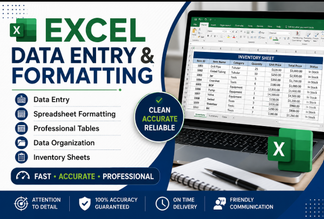 zarminaazizkhanNew Seller
I will provide accurate and professional Excel services according to your requirements. My services include: Data entry in Excel Excel sheet formatting Creating professional tables Adding borders and colors Organizing and cleaning data Converting PDF or Word data into Excel Creating inventory sheets Technical and engineering data entry Improving the layout and presentation of spreadsheets I pay close attention to accuracy and will deliver a clean, well-organized, and professional Excel sheet.
$100
 azmat.rasheed486New Seller
Up to 2 hours of accurate data entry, copy-paste, Excel formatting, or web research.
$100
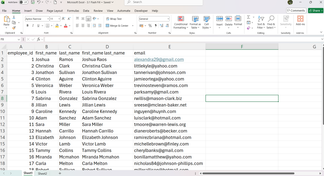
 Pawan DattNew Seller
I provide accurate Excel data entry, data cleaning, spreadsheet formatting, PDF to Excel conversion, and web research services with attention to detail and timely delivery.
$100
 peter4psmartNew Seller
Accurate and reliable data entry using Excel, Word, and Google Sheets. I will organize, format, and enter your data carefully and deliver on time.
$100
 Muhammad Hamza AkhterNew Seller
I will accurately enter, organize, and format your data in Excel. I can help with data entry, spreadsheet formatting, data organization, and basic data cleaning. Clean and accurate work with timely delivery.
$100
 Muhammad Hamza AkhterNew Seller
I will accurately convert PDF files, invoices, statements, and tables into organized Excel spreadsheets. Clean formatting, accurate data entry, and timely delivery.
$100
 hasnainshahzada30New Seller
High quality copy paste work, typing, and manual data entry in Excel or Word.
$100
 shivambatra601Level 2
I will provide accurate excel data entry. spreadsheet formatting ,formulas,tables and basic calculsations
$100
 ghulamakbarnachizNew Seller
Direct & Service-Focused Titles Fast Data Entry, Copy Paste, and Document Typing Services Professional MS Excel Data Entry and PDF to Word Typing Accurate Data Entry Work, Web Research, and Copy Paste Tasks Action-Oriented & Benefit Titles Do Fast and Accurate Data Entry, Typing, and Data Cleaning Handle Your Daily Data Entry, PDF Conversion, and File Formatting Deliver Clean MS Excel Data Entry, Form Filling, and Web Research Short & Catchy Titles Accurate Data Entry & Document Typing Services Professional Excel Data Entry & PDF to Word Conversion High-Speed Copy Paste and Data Typing Services
$100
 mo45851977New Seller
خدمة احترافية لإدخال وترتيب وتفريغ البيانات بدقة متناهية وسرعة في التسليم لضمان خلوها من الأخطاء.
$100

 omarsunnyskNew Seller
I provide accurate and reliable data entry services including copy paste, Excel, Google Sheets, web research, PDF conversion and data collection. Fast delivery with attention to detail.
$100
 nafijahmmadNew Seller
I will provide accurate data entry, copy paste, Excel/Google Sheets data entry, and web research services with fast delivery and attention to detail.
$100
 abdulmananakram777New Seller
Excel, Word, PDF ya Google Sheets mein accurate aur fast data entry. Deadline pe delivery, error-free kaam guarantee.
$100
 uk9564512New Seller
i will convert your PDF to editable word file with 100% accuracy, fast delivery and clean formatting. scanned PDFs also welcome.
$100

About data entry
Data entry is the process of transferring information from one format into another, typically from physical documents, images, audio recordings, or unstructured digital files into structured databases, spreadsheets, or content management systems. The work involves reading source material accurately, interpreting handwriting or poor-quality scans when necessary, and inputting text, numbers, dates, or categorical values into designated fields while following specific formatting rules and validation requirements.
The discipline appears straightforward but demands sustained concentration and an eye for inconsistency. A competent operator notices when a postcode format changes mid-document, when numerical sequences skip unexpectedly, or when abbreviations vary for the same term. They understand the difference between an empty field that should remain blank and one that needs investigating. Quality suffers when operators work too quickly without cross-checking, when they guess at ambiguous characters instead of flagging them, or when they fail to maintain consistent formatting across thousands of rows.
Organisations rely on data entry to digitise archives, populate customer records, process survey responses, update inventory systems, and migrate information between incompatible software platforms. The accuracy of downstream reporting, compliance audits, and automated processes depends entirely on how carefully this foundational work is executed.
Guides related to data entry
Data Entry — questions and answers
- What accuracy rate is considered acceptable for data entry work?
- Most professional contexts expect 98-99% accuracy, meaning no more than one or two errors per hundred fields entered. Financial records, medical data, and legal documents typically require 99.5% or higher. Accuracy is measured by comparing a sample of entered records against source documents, counting each incorrect, missing, or misplaced character or value as an error.
- How do you handle source documents where the handwriting or print quality makes characters ambiguous?
- Standard practice is to flag uncertain entries rather than guess. Many workflows use brackets, highlighting, or comment fields to mark questionable data, allowing a supervisor or subject expert to review and resolve ambiguities. Some systems permit confidence scoring. Guessing introduces errors that are harder to trace later than acknowledged gaps in the data.
- What's the difference between single-key and double-key data entry?
- Single-key entry means one operator inputs each record once. Double-key entry has two operators independently enter the same source material, then software compares both versions and flags discrepancies for review. Double-key is slower and more expensive but dramatically reduces errors, so it's used for critical data like clinical trial results or financial transactions where mistakes carry serious consequences.
- Why does entering data from PDFs often take longer than from paper forms?
- PDFs can have inconsistent layouts across pages, text that doesn't copy cleanly due to encoding issues, images embedded as non-selectable graphics, and form fields that shift position. Searchability varies wildly depending on whether the PDF was born digital or scanned. Paper forms, while requiring manual typing, often present information in predictable locations, making the workflow more rhythmic once you learn the template.
- Should you correct obvious errors in the source material while entering data?
- This depends entirely on the project brief. Some workflows require entering exactly what appears on the source, errors included, preserving the original record for audit or research purposes. Others expect operators to apply standardisation rules or correct clear mistakes like transposed digits. Always clarify correction authority before starting, and document any changes made.
- What keyboard shortcuts or techniques actually speed up repetitive data entry?
- Tab and Shift-Tab for moving between fields, Ctrl+C/V for copying repeated values, function keys programmed for common entries, and numeric keypad for number-heavy work all reduce hand movement. Auto-complete or dropdown validation prevents typos in categorical fields. Learning your specific software's navigation shortcuts matters more than raw typing speed, since reaching for a mouse constantly breaks rhythm.


