Photoshop Editing
Photoshop Editing gigs from Buxonline freelancers, starting at $1.
 estefany2101.veraNew Seller
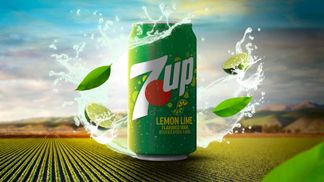
Este servicio consiste en la creación de imágenes publicitarias de alto impacto visual mediante técnicas avanzadas de fotomontaje, retoque digital y composición 3D. El objetivo principal es transformar una fotografía básica de tu producto en una pieza gráfica premium que capture la atención del consumidor en milisegundos, despierte el deseo de compra y comunique los valores esenciales de tu marca.
$100
 baboolashariNew Seller
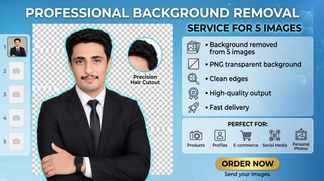
Need a clean and professional background removal? I will remove the background from 5 images with clean and accurate edges. You will get: • Background removed from 5 images • PNG transparent background • Clean edges • High-quality output • Fast delivery Perfect for products, profiles, e-commerce, social media and personal photos. Order now and send your images.
$100

About photoshop editing
Photoshop editing involves manipulating digital images using Adobe Photoshop's tools to achieve specific visual outcomes. The work ranges from subtle retouching that preserves realism to dramatic composites that blend multiple photographs into entirely new scenes. Editors work with layers, masks, adjustment curves, selection tools and filters to alter colour, remove objects, change backgrounds, repair damage, or create effects that would be difficult or impossible to capture in-camera.
The software handles raster images made of pixels, which means resolution and image dimensions matter from the start. An editor might restore a scanned family photograph by removing scratches and correcting faded colours, prepare product shots for an online shop by cleaning up backgrounds and adjusting lighting, or composite a person into a different environment with matched perspective and lighting. Each task demands different techniques: portrait retouching relies heavily on frequency separation and dodge-and-burn work, while compositing requires precise masking and colour-grading to make disparate elements look like they belong together.
Doing this work well means producing results that serve their purpose without visible flaws. In retouching, that often means restraint: skin should look like skin, not plastic. In compositing, it means matching grain, lighting direction, colour temperature and depth of field so the eye accepts the scene as plausible. Poor editing shows itself in unnatural skin texture, visible halos around cutouts, mismatched shadows, or colour casts that differ between elements meant to occupy the same space.
Guides related to photoshop editing
- Graphic design services from $1
- Logo design services from $1
- Become a Seller: start earning from $1
- Freelance jobs for beginners: start with no experience
- Freelance websites compared: what beginners should check
- Gig work for beginners: what it is and how to start
- Graphic design jobs you can do from home
- Micro jobs from $1 — start earning today
Photoshop Editing — questions and answers
- What's the difference between destructive and non-destructive editing in Photoshop?
- Destructive editing permanently alters pixel data in a layer, so changes cannot be reversed once the file is saved and closed. Non-destructive methods use adjustment layers, smart objects, layer masks and smart filters to preserve the original image data underneath, allowing changes to be modified or removed at any point. Most professional work relies on non-destructive techniques to maintain flexibility during revisions.
- Why do composites sometimes look flat even when the elements are cleanly cut out?
- Mismatched lighting and colour temperature are usually to blame. Each photograph carries information about its light source: direction, hardness, colour warmth. When elements shot under different conditions are combined without adjustment, they sit together without interacting. Matching shadows, highlights, ambient colour and edge lighting makes composited elements feel like they occupy the same physical space.
- What does frequency separation actually do in portrait retouching?
- It splits an image into two layers: one holding colour and tone, the other holding texture detail. This separation lets an editor smooth skin tone and even out lighting without blurring pores or fine hairs, then address texture issues like blemishes independently. The technique prevents the waxy, over-smoothed look that comes from simply blurring skin, preserving natural texture while correcting uneven colour.
- Can a low-resolution image be edited to work for large print?
- Not reliably. Photoshop can resample images to larger dimensions, but it invents pixel data rather than recovering lost detail. The result looks soft or pixelated when printed large. If the original resolution is only slightly below requirements and the viewing distance is significant, careful sharpening and noise reduction can help, but there is no substitute for starting with adequate resolution.
- How do layer masks differ from erasing parts of a layer?
- Erasing permanently deletes pixels. A layer mask hides pixels without removing them, using black to conceal areas and white to reveal them, with grey values creating partial transparency. This means masked areas can be recovered or refined at any time by painting on the mask. Masks also allow gradual transitions and can be edited with the same tools used for painting and selecting.
- What makes cloning look obvious, and how is it avoided?
- Repeated patterns give cloning away. The Clone Stamp tool copies pixels from one area to another, so using the same source repeatedly creates visible duplicates of texture or detail. Good cloning means frequently redefining the source point, varying brush opacity, and sampling from areas with similar lighting and texture. Healing tools blend cloned areas with surrounding pixels, which helps disguise the work in organic textures.


