
Transcription
Transcription gigs from Buxonline freelancers, starting at $1.
 typerkeysLevel 3
Send me your audio file and I'll type out what's said, basic formatting included.
 5
5$100

 typerkeysLevel 3
I'll watch your video and type out the spoken content with time markers every minute.
$100
 yahirpc21New Seller
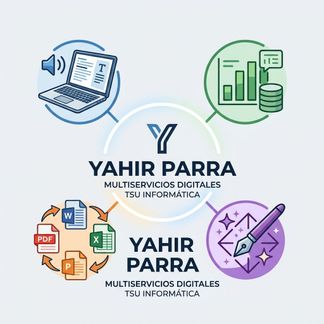
Servicio integral de transcripción profesional, automatización en Excel, conversión de documentos y diseño asistido por IA. ¡Hacemos realidad tus proyectos con calidad técnica de un Profesional
$100

 tahamoedNew Seller
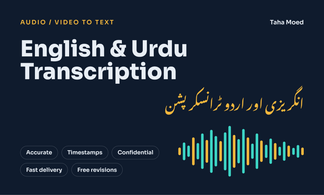
fast 24-hour delivery, extra audio minutes, subtitle (SRT) file, Urdu ⇄ English translation.
$100

 ngangabeth853New Seller
Human transcription - English audio to clean word & text. This includes time stamps & speaker labels if needed.24h delivery. Follows every instruction to perfection.
$100
 toheebolamilekankareemNew Seller
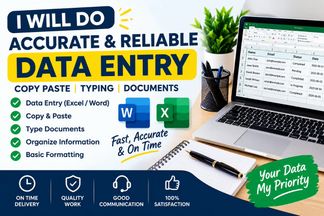
I will accurately enter data, copy and paste information in Excel or word. Fast and reliable service.
$100
 tracynjokimNew Seller
Need quick and precise audio transcription? I will convert up to 5 minutes of audio or video into a clean, formatted text document. What's Included: Up to 5 minutes of clear audio/video Express 24-hour turnaround Proofread for grammar and correct spelling Speaker labelling and basic formatting 1 free revision round
$100
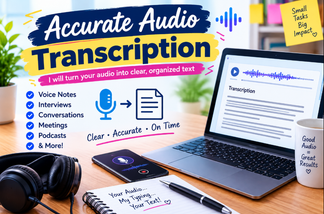
 arleshapollard25Level 2
I will accurately type short, clear audio recordings into organized text.
$100
 saratareq2711New Seller
Fast and accurate transcription for your podcasts, interviews, or videos
$100
 koushanidew26New Seller
High-quality, manual transcription of up to 5 minutes of clear audio OR translation of up to 500 words of text
$100
 xdsuptmadNew Seller
Ofrezco servicios de transcripción de video a texto tanto en inglés como en español, asegurando que cada palabra esté bien escrita, que la gramática sea correcta y que el texto final sea preciso. Trabajos desde clips cortos de 30 segundos hasta grabaciones largas de 3 horas, adaptando cada proyecto a sus requerimientos y manteniendo todo bajo estricta confidencialidad. Si desea una tarifa personalizada, solo escríbame directamente. // I offer video‑to‑text transcription services in both English and Spanish making sure every word is spelled correctly grammar is right and the final text is precise. I take on projects that're as short as a 30‑second clip or as long, as a three‑hour recording and I adjust each project to fit what you ask for keeping everything confidential. If you want a custom rate just ask me directly.
$100
 apuulihNew Seller
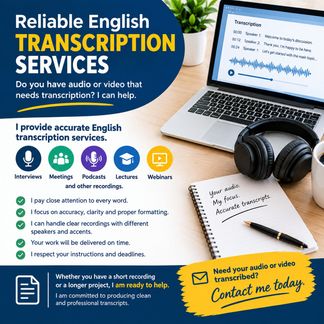
Turn your audio and video files into clear, accurate English text. Fast delivery. Professional transcription. Contact me today to get your content transcribed perfectly.
$100
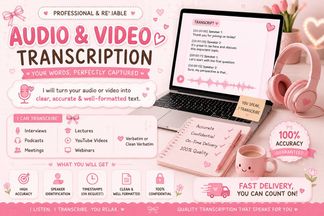 fatimaanaab103New Seller
Need your audio or video converted into clean, readable text? I will accurately transcribe interviews, podcasts, meetings, lectures and conversations with careful attention to every word. Fast, reliable and professionally formatted.
$100
About transcription
Transcription is the process of converting spoken audio or video recordings into written text. Someone listens to the recording—whether that's an interview, a meeting, a podcast, a lecture, or dictated notes—and types out what they hear, creating a text document that captures the spoken words. The work appears straightforward but demands sustained concentration, good hearing, fast and accurate typing, and familiarity with language variation, accents, and technical terminology.
Transcription serves many purposes. Journalists transcribe interviews to pull quotes and verify statements. Researchers transcribe focus groups and qualitative interviews for analysis. Legal professionals transcribe depositions, hearings, and client meetings. Content creators transcribe video and audio to generate captions, subtitles, show notes, or blog posts. Medical practitioners transcribe patient consultations and clinical notes. Academics transcribe lectures and oral histories.
Doing transcription well means producing text that is accurate, readable, and fit for its intended use. Poor transcription misrepresents what was said, introduces errors that mislead readers, and forces clients to re-listen to recordings to correct mistakes. Good transcription captures not only the words but also the speaker attributions, distinguishes between multiple voices, and applies formatting conventions that make the text easy to navigate. Depending on the brief, a transcriber may also need to mark unclear passages, note non-verbal sounds, include timestamps, and handle overlapping speech or heavy accents without guessing.
Guides related to transcription
Transcription — questions and answers
- What's the difference between verbatim and clean-read transcription?
- Verbatim transcription captures every spoken sound, including filler words like 'um' and 'uh', false starts, repetitions, and sometimes even non-verbal sounds like laughter or pauses. Clean-read transcription edits out those elements to produce smoother, more readable text while preserving the speaker's meaning. Research and legal work often require verbatim; marketing content and publication typically use clean-read.
- How do you mark sections of audio you can't make out?
- Transcribers typically insert a timestamp and a marker such as [inaudible], [unclear], or [unintelligible] where speech cannot be understood. Some formats require a reason, like [crosstalk] when multiple people speak simultaneously or [audio distortion]. The client can then review that specific moment in the recording. Guessing or leaving gaps without marking them creates misleading transcripts.
- Do transcribers need to identify every speaker by name?
- It depends on the brief and the recording. If speakers introduce themselves or are known to the client, they are labelled by name. When identities are unclear, transcribers use labels like Speaker 1, Speaker 2, or descriptive tags like Interviewer and Respondent. Some formats require timestamps for each speaker change; others just need paragraph breaks and clear attribution.
- Can automated transcription software replace manual transcription?
- Automated tools produce rough drafts quickly but struggle with accents, overlapping speech, technical jargon, poor audio quality, and distinguishing between speakers. Manual transcription or human editing is usually required to correct errors, format properly, and ensure accuracy. Legal, medical, and research contexts often demand precision that software alone cannot reliably deliver.
- Why does audio quality affect turnaround time and accuracy?
- Clear audio with minimal background noise allows transcribers to work at normal speed and produce accurate text. Muffled speech, heavy accents, echo, crosstalk, or background noise force the transcriber to replay sections repeatedly, slowing progress and increasing the chance of errors. Extremely poor audio may be impossible to transcribe fully, requiring the client to accept gaps or approximations.
- What file formats are standard for delivering finished transcripts?
- Most transcripts are delivered as Microsoft Word documents (.docx) or plain text files (.txt), sometimes as PDFs for final versions. Subtitles and captions use specialist formats like SRT, VTT, or SCC files that include timecodes. The format depends on how the client intends to use the transcript—publication, analysis, video editing, or archival purposes.


