
Web Scraping
Web Scraping gigs from Buxonline freelancers, starting at $1.
 JasproLevel 2
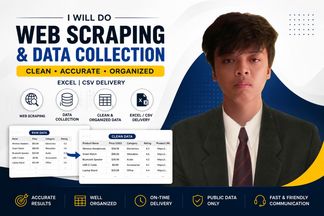
I will collect publicly available data and organize it into a clean Excel or CSV file.
$100


About web scraping
Web scraping is the automated extraction of data from websites, converting information displayed in HTML into structured formats like CSV, JSON or databases. A scraper navigates pages, locates specific elements using selectors or patterns, and pulls out text, numbers, images or links that would otherwise require manual copying. The work ranges from collecting product listings across e-commerce sites to monitoring public records, gathering research data, or archiving content.
Doing this well means building scrapers that adapt to site changes, respect server load, handle pagination and dynamic content loaded by JavaScript, and clean messy HTML into reliable data. Poor scraping produces incomplete datasets, breaks when layouts shift, hammers servers with excessive requests, or fails to capture content rendered after the initial page load. Well-executed scraping accounts for rate limiting, mimics human browsing patterns to avoid detection, parses dates and numbers into consistent formats, and logs errors so failures can be traced and fixed.
The technical challenge lies in the web's inconsistency: every site structures its HTML differently, some load data asynchronously, others paginate results or require login sessions. Scrapers must navigate these variations, often combining HTTP requests with browser automation tools like Puppeteer or Playwright when JavaScript rendering is involved, and applying XPath or CSS selectors to pinpoint exact data points within sprawling markup.
Guides related to web scraping
Web Scraping — questions and answers
- What breaks when a website changes its layout after you've built a scraper?
- The selectors targeting specific elements stop matching, so the scraper either extracts nothing or grabs wrong data from different page sections. Class names, element IDs and DOM structure all shift during redesigns. Robust scrapers use multiple fallback selectors or structural patterns rather than relying on a single fragile identifier, and include validation checks that flag when extracted data stops matching expected formats.
- How do you scrape content that only appears after scrolling or clicking 'load more'?
- Headless browsers like Puppeteer or Selenium render JavaScript and simulate user actions—scrolling, clicking buttons, waiting for network requests to complete. Alternatively, inspect network traffic to find the underlying API endpoint the page calls, then request JSON data directly. The API route is faster and cleaner when available; browser automation handles cases where content generation happens entirely client-side.
- Why do some scrapers get blocked even when they're not sending many requests?
- Sites detect patterns beyond request volume: identical user-agent strings, requests arriving at mechanically regular intervals, missing headers that real browsers send, or IP addresses flagged by previous activity. Effective scrapers rotate user-agents, randomise delays between requests, include referrer and accept-language headers, handle cookies, and sometimes route through residential proxies to appear as geographically distributed human visitors.
- Can you scrape data from behind a login, or does authentication block automated access?
- Scrapers can authenticate by submitting login forms programmatically, maintaining session cookies, or passing tokens in headers. The technical challenge is replicating whatever the site expects: handling CSRF tokens, solving CAPTCHAs if present, or managing multi-factor authentication. Once authenticated, the scraper maintains the session just as a browser would, though some sites explicitly prohibit automated access in their terms of service.
- What's the difference between scraping static HTML and single-page applications?
- Static HTML delivers complete content in the initial response, readable by parsing the raw markup. Single-page applications render content via JavaScript after page load, often fetching data from APIs. Simple HTTP requests see only an empty shell. You either use a headless browser to execute JavaScript and wait for rendering, or reverse-engineer the API calls to fetch JSON directly, bypassing the interface entirely.
- How do you keep scraped data consistent when source pages format the same information differently?
- Apply normalisation rules during or after extraction: parse dates into ISO 8601 format regardless of how they appear, strip currency symbols and convert to decimal numbers, standardise address formats, trim whitespace. Build lookup tables for variants—'NY' and 'New York' map to the same value. Store raw and cleaned versions separately so you can trace transformations and adjust rules when new formats appear.


